
Hyundai Tucson: Panorama Sunroof / Panorama Sunroof Switch
1.Disconnect the negative (-) battery terminal.
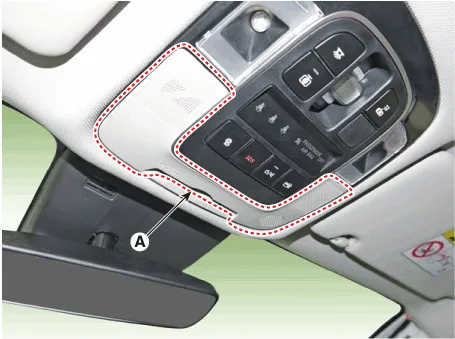
2.Remove the overhead console cover (A).
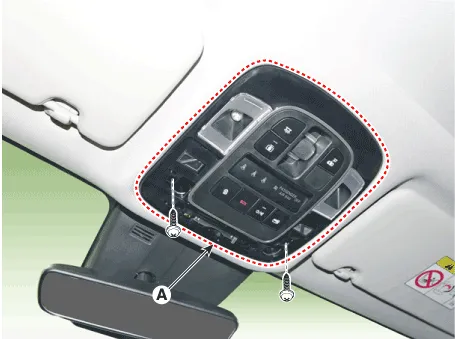
3.Remove the mounting screws.and then remove the overhead console (A).
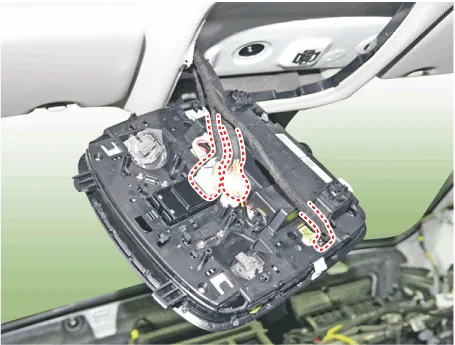
4.Remove the overhead console after disconnect the connector (A).
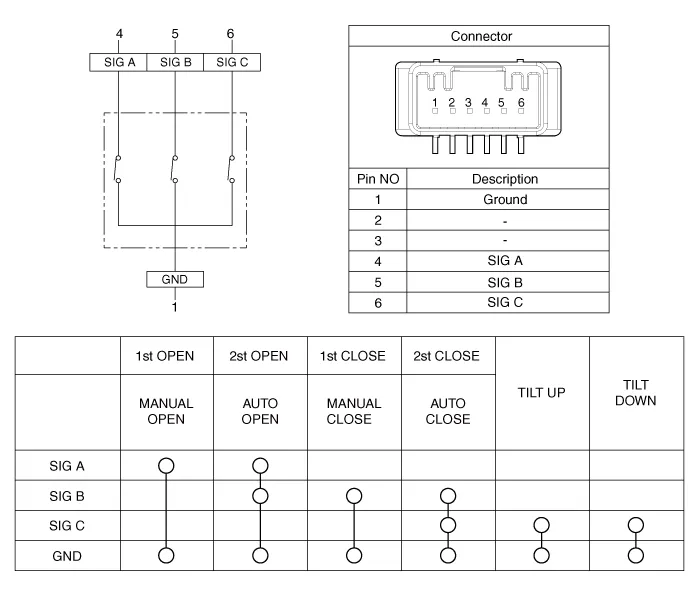
5.Remove the overhead console lamp assembly then check for continuity between terminals. If the continuity is not as specified, replace the map lamp switch.
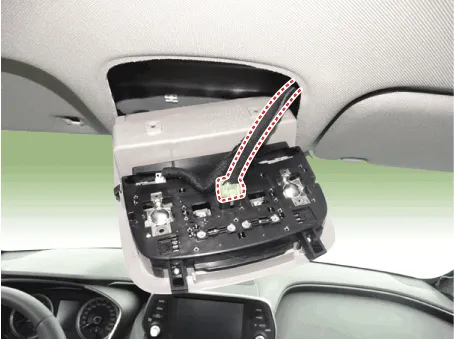
1.Install the overhead console lamp after connecting the connector.
2.Connect the negative (-) battery terminal.
 Schematic Diagrams
- Circuit Diagram
Connector Pin Information
Pin NOWiring Harness ConnectorPanorama MotorBlind Motor
1Ground 1Ground 1Ground 2
2---
3Power Window Enable Power Window Enable -
4Tilt Up S ...
 Panorama Sunroof Motor
- Replacement
1.Disconnect the negative (-) battery terminal.
2.Remove the roof trim assembly.(Refer to Body - "Roof Trim Assembly")
3.Loosen the mounting bolts,disconnect the connector and rem ...
Other information:
Hyundai Tucson (NX4) 2022-2026 Service Manual: Description and Operation
- Warning Lamp Activation
Warning Lamp Behavior after Ignition On
As soon as the operating voltage is applied to the SRSCM ignition input,
the SRSCM activates the warning lamp for a LED lamp check.The lamp
shall turn on for 6 seconds during the initialization phase and be
turned off afterw ...
Hyundai Tucson (NX4) 2022-2026 Service Manual: Special Service Tools
- Special Service Tools
Tool (Number and Name)IllustrationUse
09581-11000Piston expander
Spreading the front disc brake piston
09527 - 2W110Sensor cap installer
Used for installing wheel speed sensor cap(Use with 09231-H1100)
09231 - H1100Handle
(Use with 09527-2W110)
...
