
Hyundai Tucson: Engine Control System / Camshaft Position Sensor (CMPS)
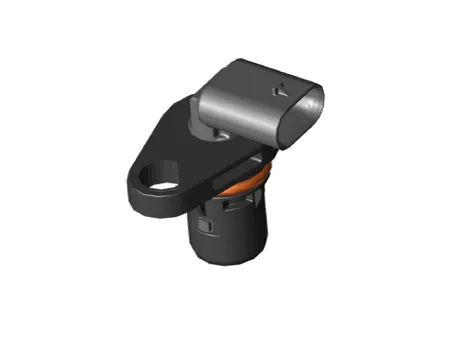
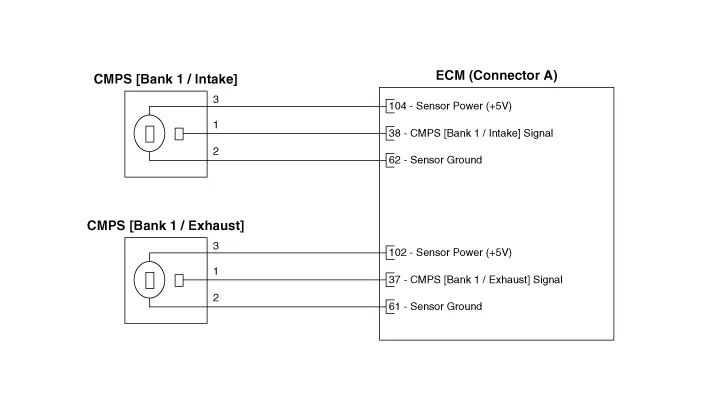
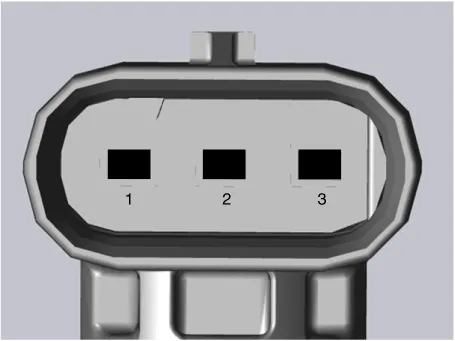
1.In the engine control system, failure can be quickly diagnosed by using the diagnosis tool.
(1)Self diagnosis : Checking failure and code number (DTC).
(2)Current data : Checking the system input/output data state.
(3)Actuation test : Checking the system operation condition.
(4)Additional function : Controlling other features including system option setting and zero point adjustment.
1.Check signal waveform of CKPS and CMPS using a diagnostic tool.
Specification : Refer to "DTC Diagnosis Guide"

• DON’T remove the camshaft position sensor during engine running or right after engine stops, or a scald by the flowed out engine oil may occur.
1.Turn the ignition switch OFF and disconnect the battery negative (-) cable.
2.Disconnect the camshaft position sensor connector (A).
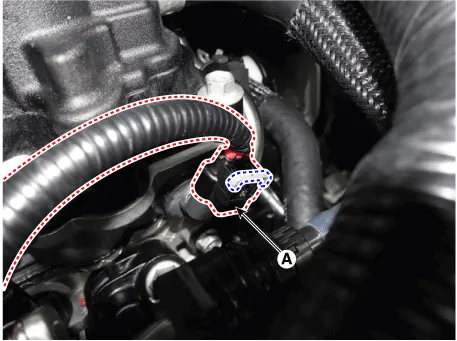
3.Remove the sensor after loosening the mounting bolt (A).
Tightening Torque :9.8 - 11.8 N.m (1.0 - 1.2 kgf.m, 7.2 - 8.7 lb-ft)
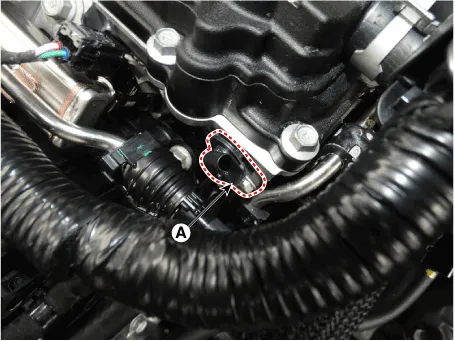
1.Turn the ignition switch OFF and disconnect the battery negative (-) cable.
2.Disconnect the camshaft position sensor connector (A).
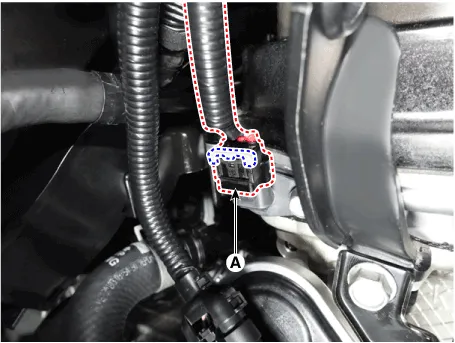
3.Remove the sensor after loosening the mounting bolt (A).
Tightening Torque :9.8 - 11.8 N.m (1.0 - 1.2 kgf.m, 7.2 - 8.7 lb-ft)
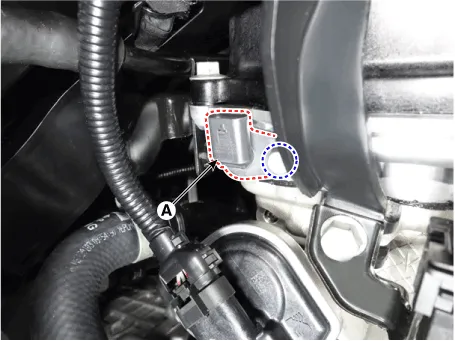

• Install the component with the specified torques.
• Note that internal damage may occur when the component is dropped. If the component has been dropped, inspect before installing.

• Apply the engine coolant to the O-ring.

• Insert the sensor in the installation hole and be careful not to damage.
1.Install in the reverse order of removal.
 Crankshaft Position Sensor (CKPS)
- Description
Crankshaft Position Sensor (CKPS) detects the crankshaft position and
is one of the most important sensors of the engine control system. If
there is no CKPS signal input, fuel is ...
 Knock Sensor (KS)
- Description
Knocking is a phenomenon characterized by undesirable vibration and
noise and can cause engine damage. Knock Sensor (KS) is installed on the
cylinder block and senses engine knock ...
Other information:
Hyundai Tucson (NX4) 2022-2026 Service Manual: General Information
- General Information
The supplemental restraint system (SRS) is designed to supplement the
seat belt to help reduce the risk or severity of injury to the driver
and passenger by activating and deploying the driver, passenger, side
airbag and belt pretensioner in certain frontal or side col ...
Hyundai Tucson (NX4) 2022-2026 Owner's Manual: Rear Cross-Traffic Collision Warning (RCCW)
Rear Cross-Traffic Collision Warning uses
the rear corner radars to help detect
vehicles approaching from the left or
right while your vehicle is reversing, and
to warn you that a collision is imminent
with a warning message and an audible
warning.
A: Rear Cross-Traffic Collision Warn ...
